Video playback from USB Stick

Steps:

1. Turn on the TV (button 1).

2. Insert the USB flash drive into the back of the TV

3. Open the apps menu (button 4)

Beursstand A television remote control with 26 labeled buttons, including power, numbers, volume, channel, directional pad, OK, EXIT, MENU, buttons for Netflix and YouTube, colored function buttons, and various settings and subtitle controls.

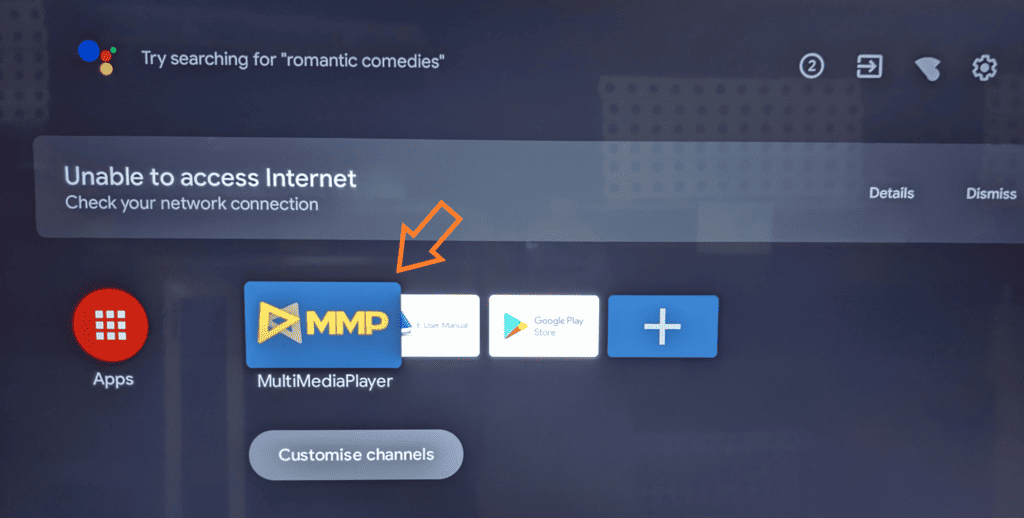
4. Launch the app MMP (multi media player).

Beursstand A TV screen displays an Unable to access Internet message. Below, the MultiMediaPlayer (MMP) app icon is highlighted with an orange arrow. Other icons include Apps, Live Manual, Google Play Store, and a plus sign. The screen has a dark background.

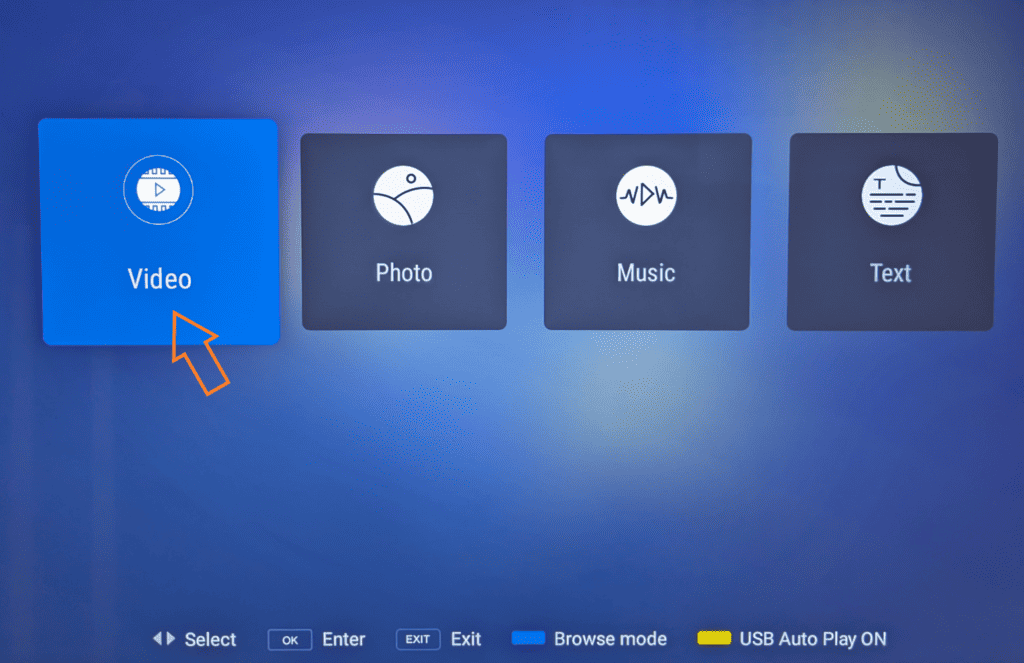
5. Select ‘Video’ to play a video

Beursstand A blue digital interface displays four large icons labeled Video, Photo, Music, and Text. A yellow arrow cursor points to the Video icon. Navigation instructions appear at the bottom, indicating keys for Select, Enter, Exit, and mode status.

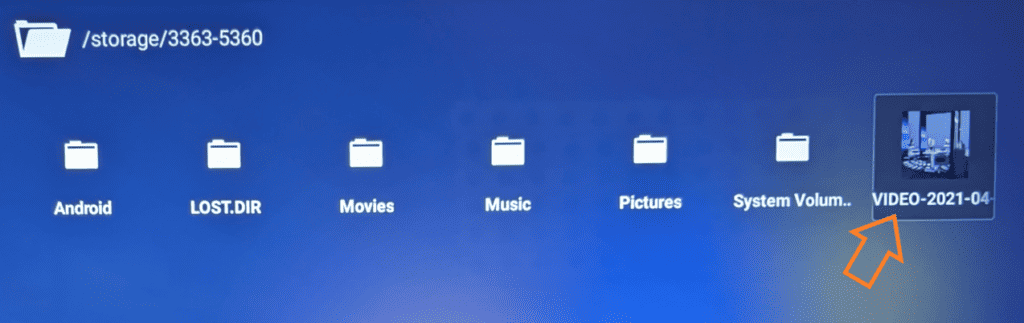
6. Open the appropriate folder and select the video to be played

The video now begins to play

Beursstand A digital file browser screen shows seven folder icons labeled: Android, LOST.DIR, Movies, Music, Pictures, System Volume, and VIDEO-2021-04. An orange arrow points to the VIDEO-2021-04 folder with a preview image of a room inside.

7. Video repeat, click ‘Menu’ (button 12)

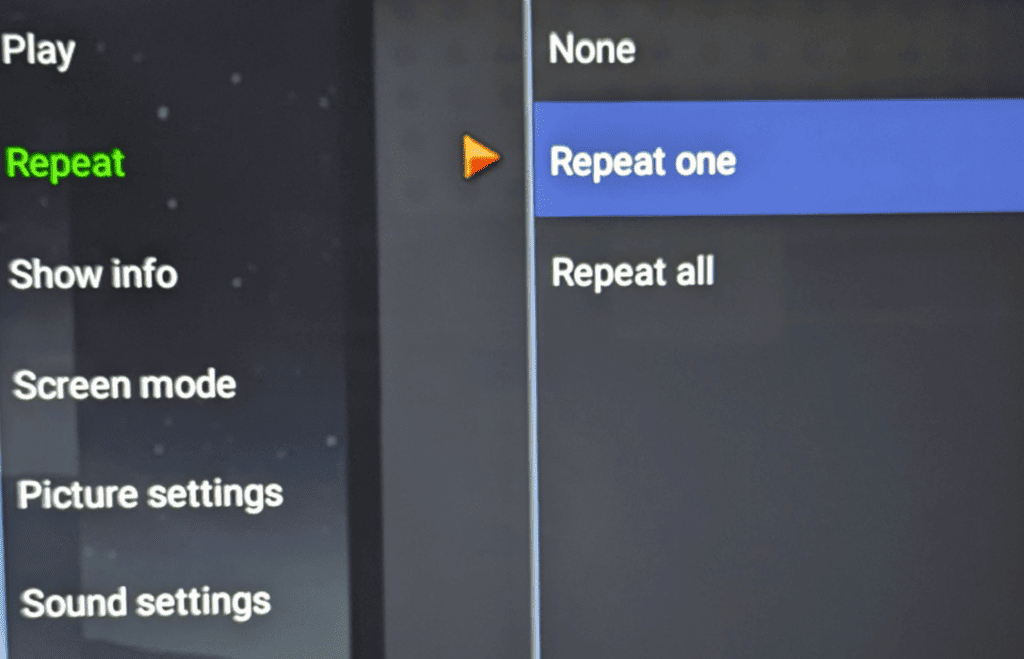
8. Navigate to ‘Repeat’ and click OK (button 9)

9. Navigate to ‘Repeat one’ and click OK

Beursstand A TV or media player settings menu is displayed. Options on the left include Play, Repeat (highlighted), Show info, Screen mode, Picture settings, and Sound settings. On the right, Repeat options are None, Repeat one (selected), and Repeat all.

USB flash drive

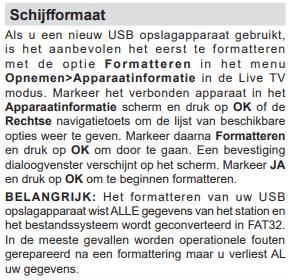
File system: FAT32

Beursstand Screenshot of Dutch text explaining how to format a USB storage device. Instructions list formatting steps, warn that formatting deletes all data, and emphasize confirming the action by pressing OK and JA. Important notes are bolded for emphasis.

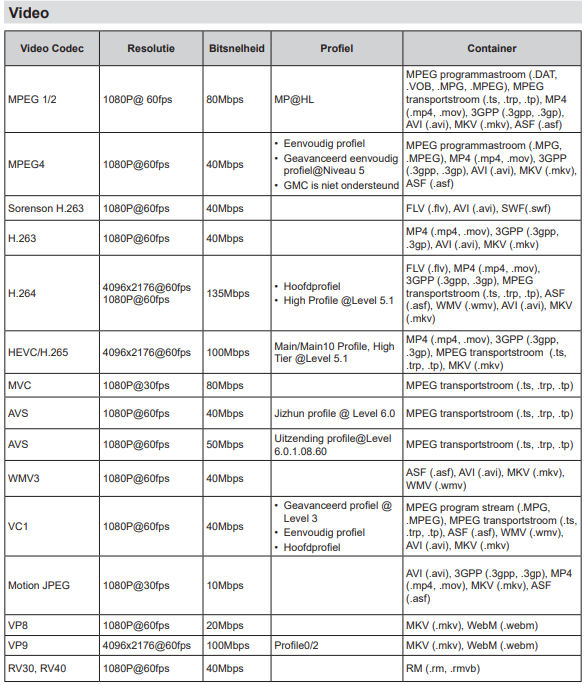
Supported file formats for USB mode
Beursstand A chart lists video codecs, resolutions, bitrates, profiles, and containers. Codecs like MPEG1, MPEG2, H.264, HEVC, AVS, VP8, and more are shown, with supported resolutions, bitrates, compression profiles, and file formats detailed in columns.